Rego
RegoFeature by feature,
you're going to fall in love with Rego.
Rego does one job exceptionally well: it makes sure that if you save a place that matters, you'll find it again when you need it. Here's everything that makes that true.
Add places from whatever you have.
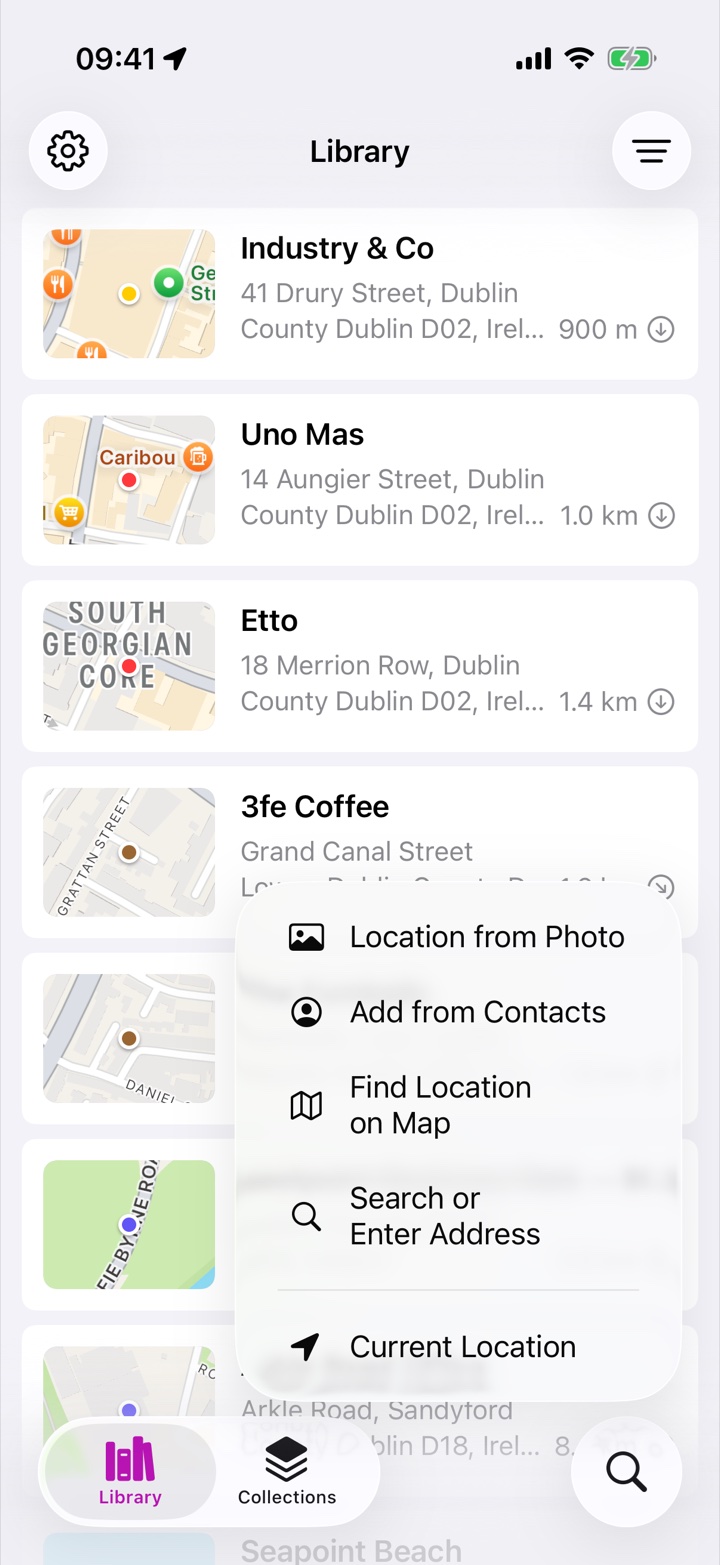
The moment you want to save a place, you might have an address, a photo, a link, a file — or nothing but the ground under your feet. Rego accepts them all:
- Your current location — one tap while you're standing somewhere worth keeping.
- Places around me — somewhere new and not sure what's worth keeping? See the landmarks, cafés, parks and viewpoints nearby, nearest first. Pick one and it opens ready to save, with room for your own name and notes.
- A search, address or coordinates — or a position picked directly on the map.
- The share sheet — send a place from Apple Maps or Google Maps with Open Location in Rego. Rego reads the location, even from Google's short links, and opens a pre-filled editor. Nothing is ever saved silently.
- A geotagged photo — every photo you take carries a location; Rego turns it into a place.
- A contact's address — friends' homes, offices, venues from your address book.
- Imported files — KML, KMZ, GPX and native Rego archives.
Rego optimizes for saving first and refining later — capture takes seconds, and organizing can always wait.
Store what a place means to you.
Rego isn't storing a coordinate — it's storing why that coordinate matters. Public directories can't do that; your library can.
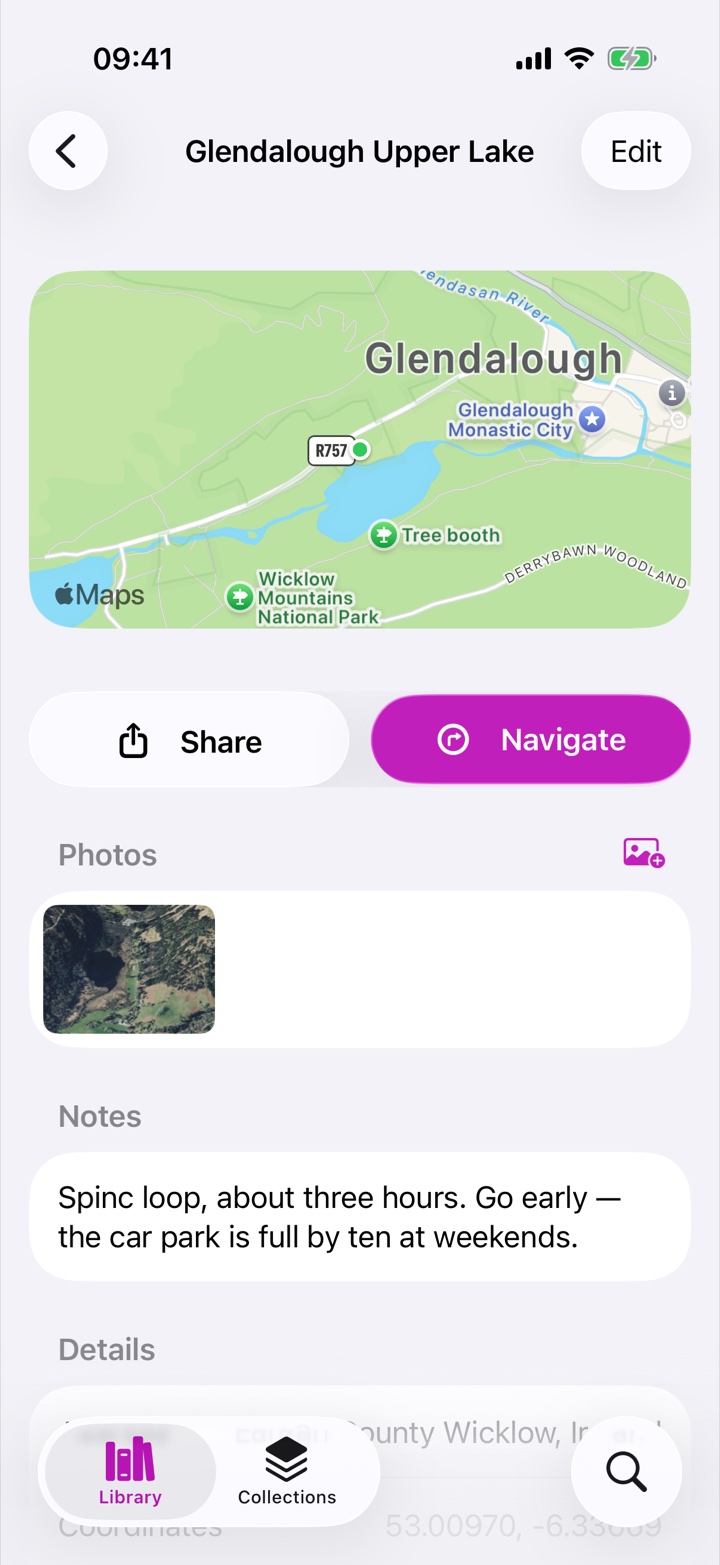
- Your own names — "Nonna's trattoria" beats a directory listing every time.
- Free-form notes — parking tips, opening quirks, what to order, who recommended it. Paste in a link to the menu or booking page and it opens with a tap.
- Photos with captions — from your library or camera, with a key photo as the thumbnail and smooth Photos-style zooming.
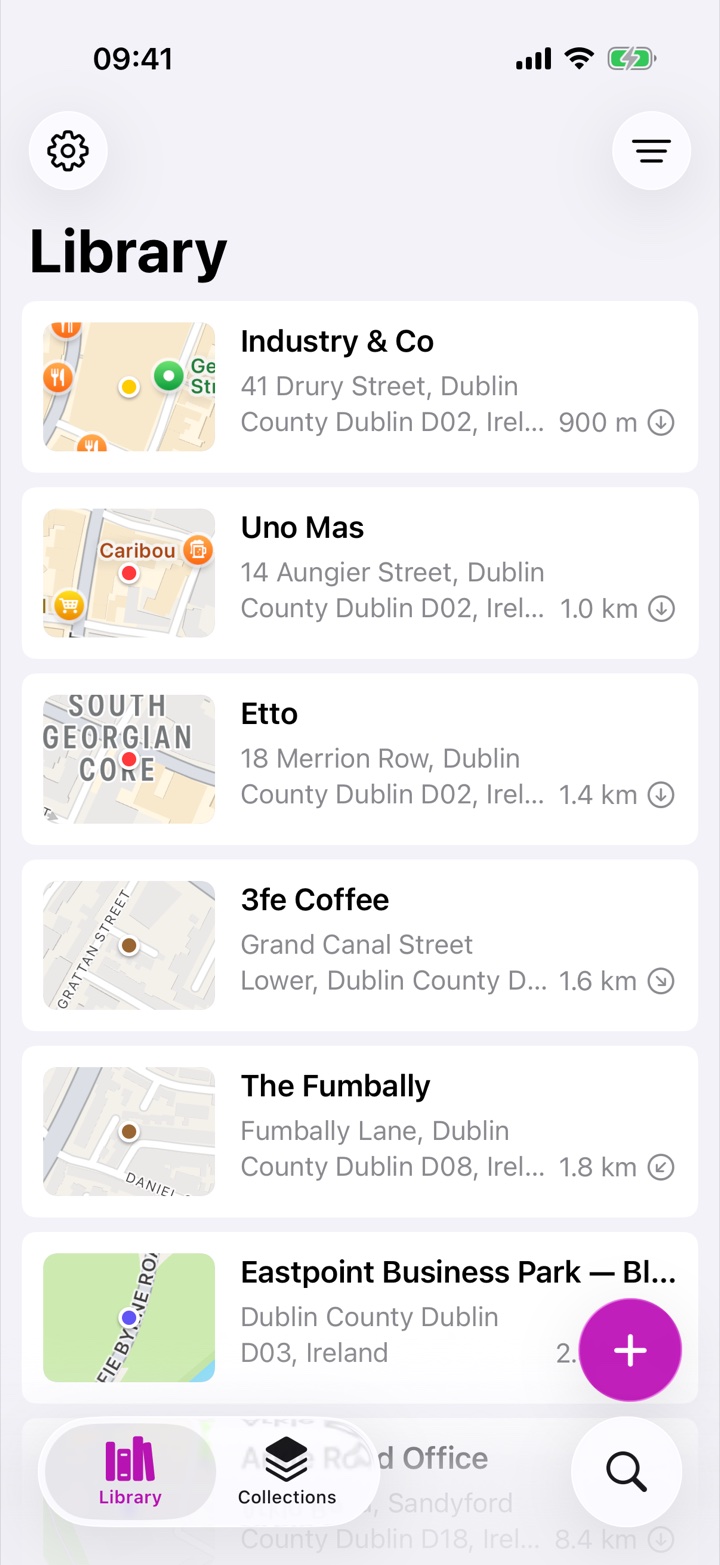
- Generated map thumbnails — places without a photo get a clean snapshot of their surroundings, with a dot in the place's pin color.
Your system, not ours.
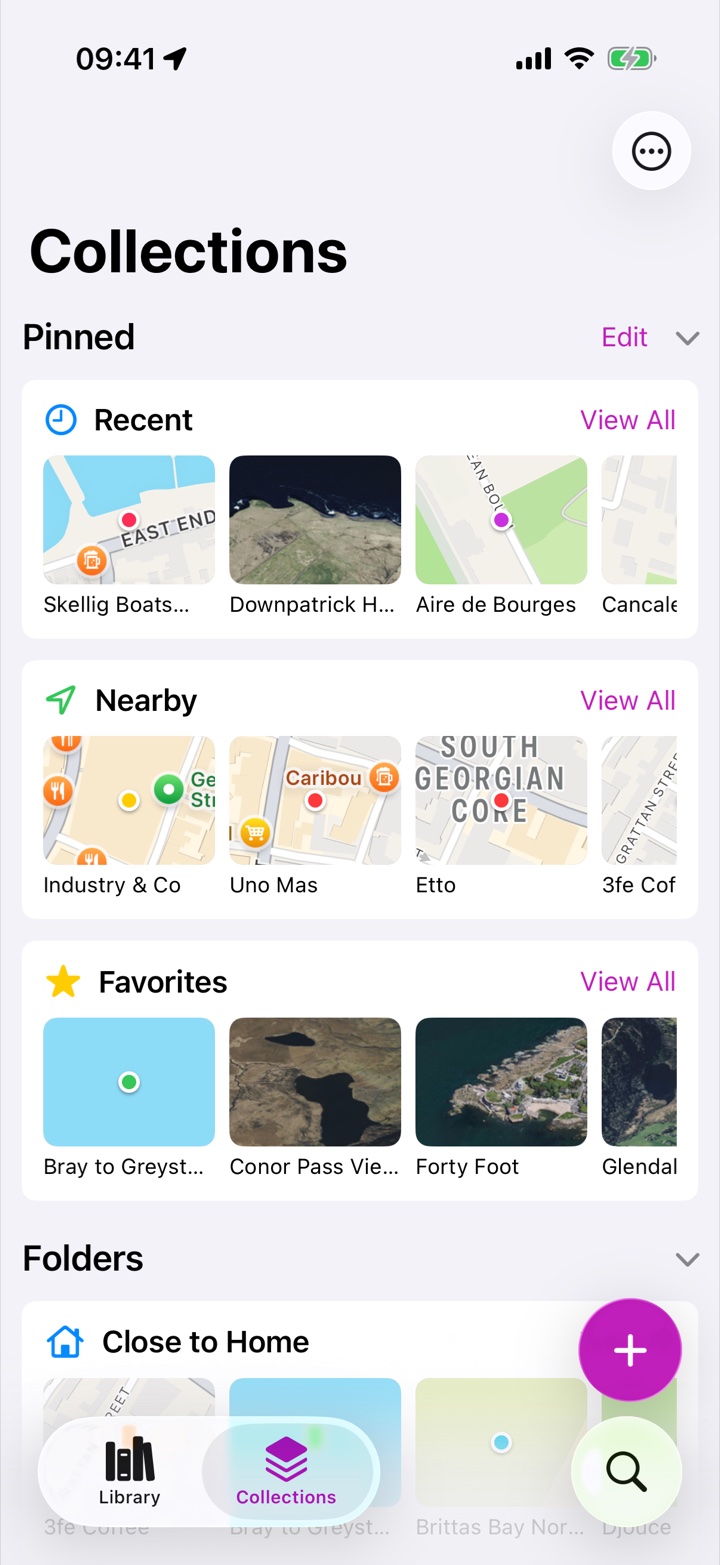
"Restaurants", "Lisbon 2027", "Client properties" and "Places with Wi-Fi" are all equally valid in Rego. Organization is plural, optional, and always reversible.
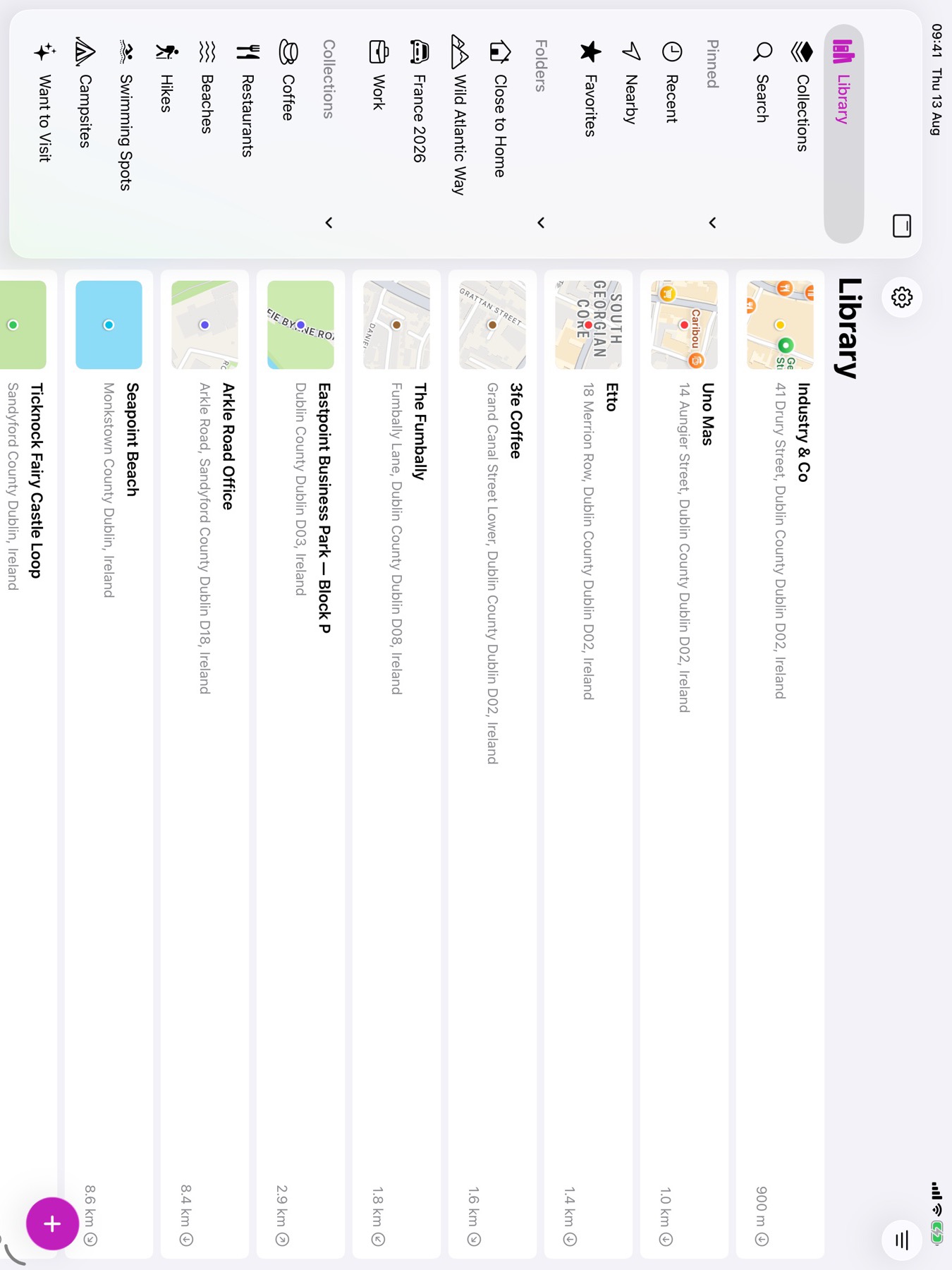
- Folders give each place a single home; viewing a folder aggregates everything inside.
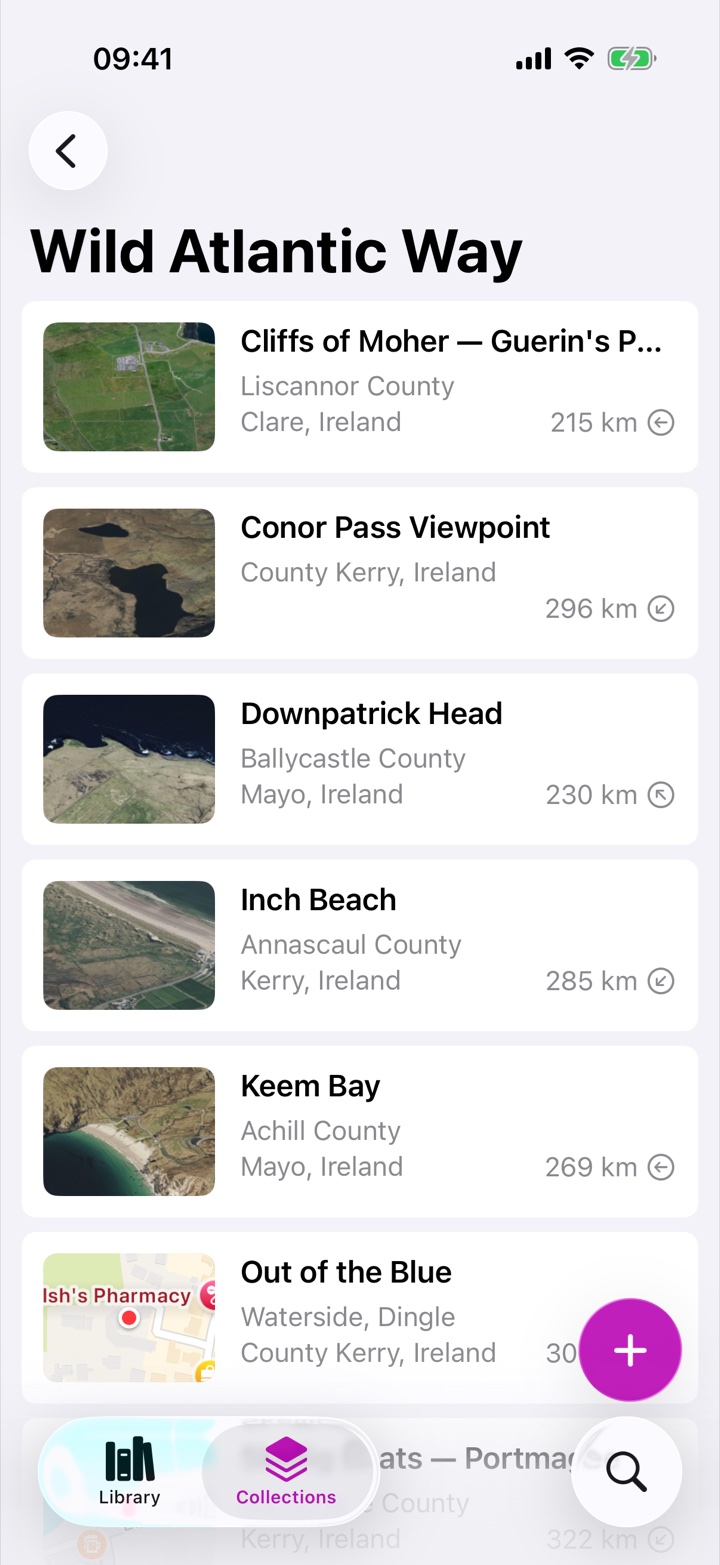
- Collections stay freeform — one place can belong to many collections, or none. Uncategorized places are perfectly valid citizens.
- Icons and colors — every folder and collection carries its own icon and color.
- Stars and six pin colors — independent markers that cut across everything. Name the colors yourself — "Parking", "Water", "Been there" — and the names follow them everywhere, on every device.
- Tidy up in bulk — filter the library, then move everything that matches into a folder, give it a pin color, or add it to collections in one go.
- Smart collections — Recent, Nearby, Favorites and Uncategorized are built in, alongside a view for every pin color in use.
Retrieval is the whole point.
A year from now you won't remember the address. You'll remember it's "somewhere north of the harbour", or "that place with the caramel", or that you saved it in April. Rego is built for exactly that kind of memory.
- Nearby — sorted by distance, with live distance and direction on every row, updating as you move.
- Recent — everything you've saved in the last 30 days, newest first.
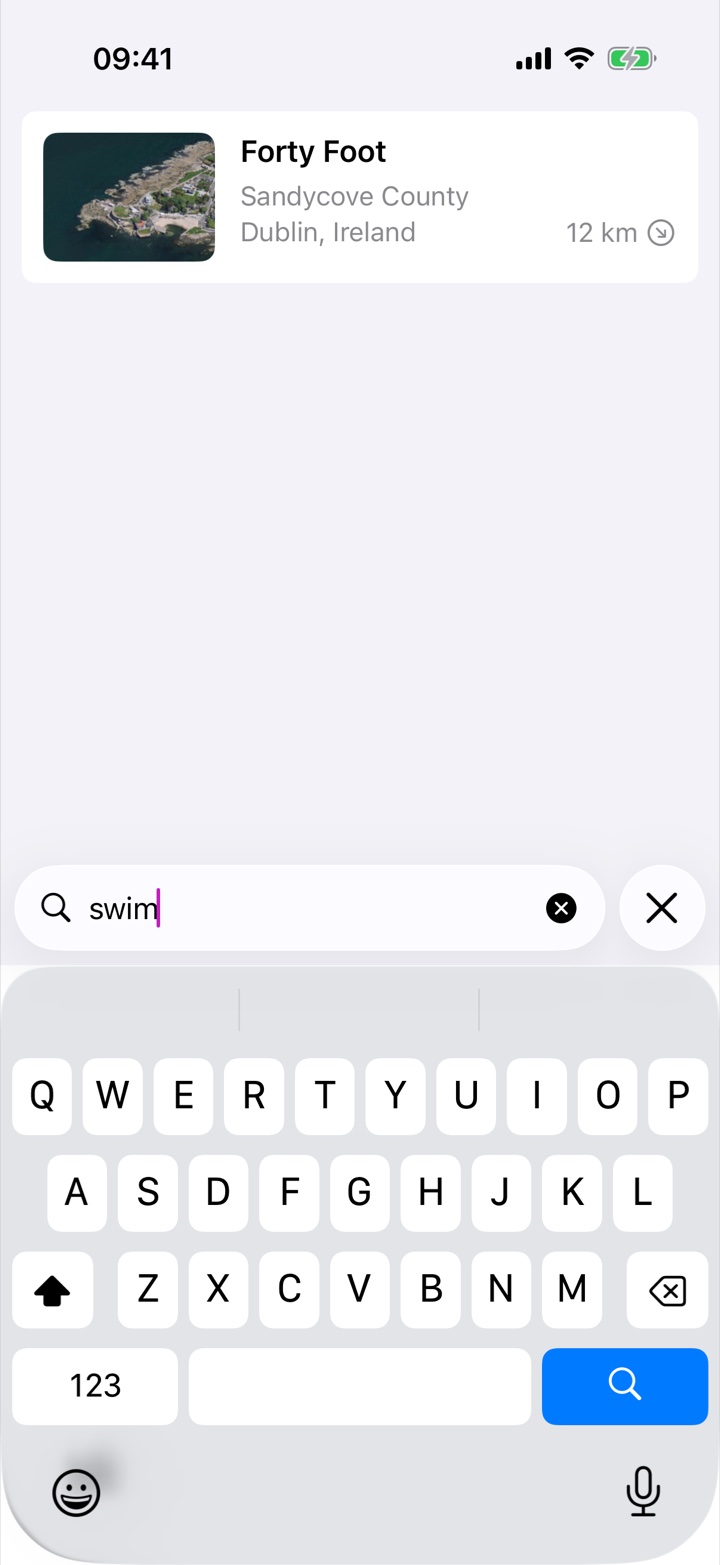
- Full-text search — across names, notes and photo captions, in your whole library or scoped to a collection.
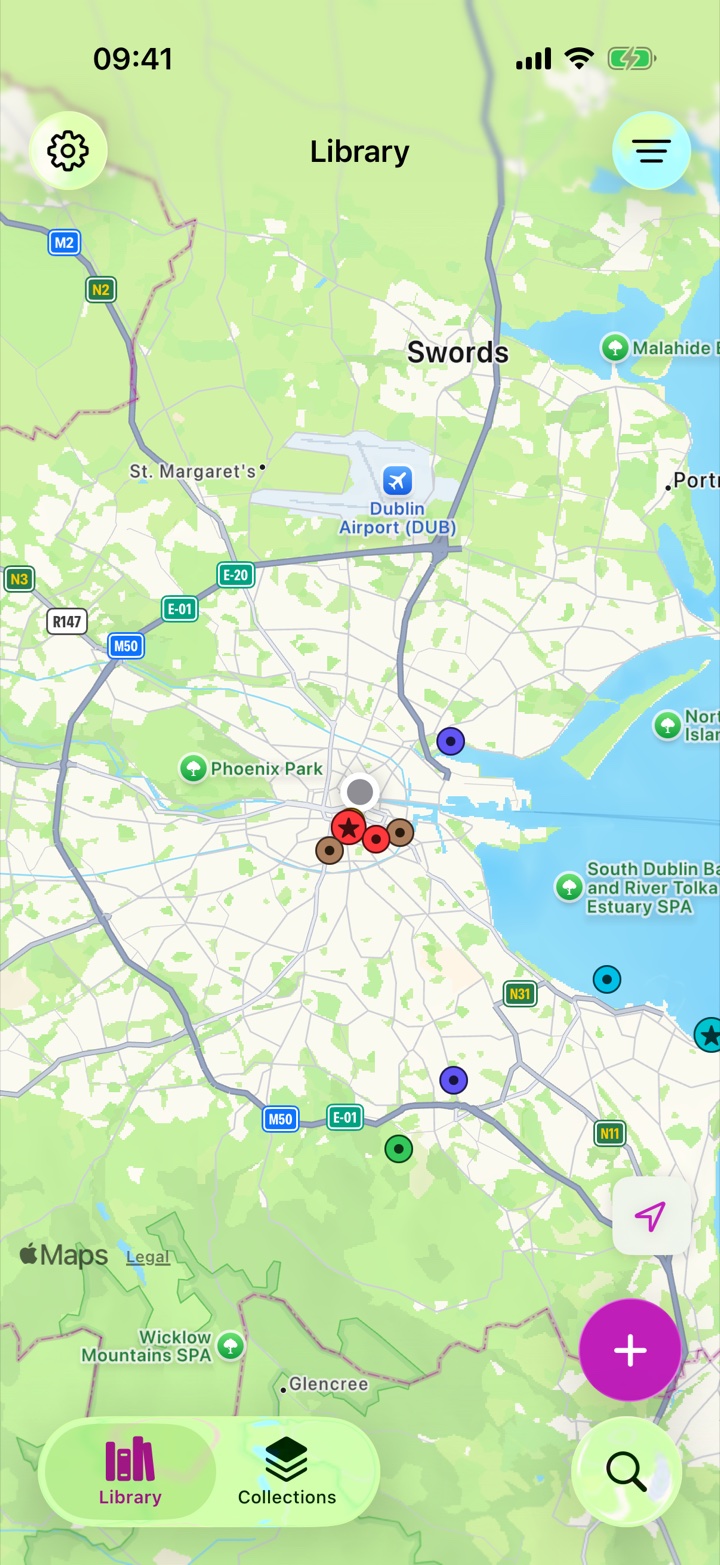
- The map — standard or satellite, expandable to full screen, fitting your pins and following your location.
- List, grid or map — photos and map thumbnails when visual memory works better than words. Every folder, collection and pin color offers all three, with its own sort, and Rego remembers how you like your library.
- Filters — narrow the library to a folder, a pin color or any mix of collections, with a count of how many places match.
Your world, at a glance.
Every pin colored your way. Maps answer "where?" and "what's near me?" — lists answer everything else. Rego gives you both.
- Standard and satellite imagery, full-screen browsing, and a fit-to-pins view.
- Built for big libraries — pins group into bubbles when a view holds hundreds of places, so the map stays quick with thousands. Tap a group to zoom in.
- Follow-me mode shows your position among your saved pins.
- Works offline — GPS needs no data connection: see your pins, distances and current location anywhere.
GPX tracks, in the same library.
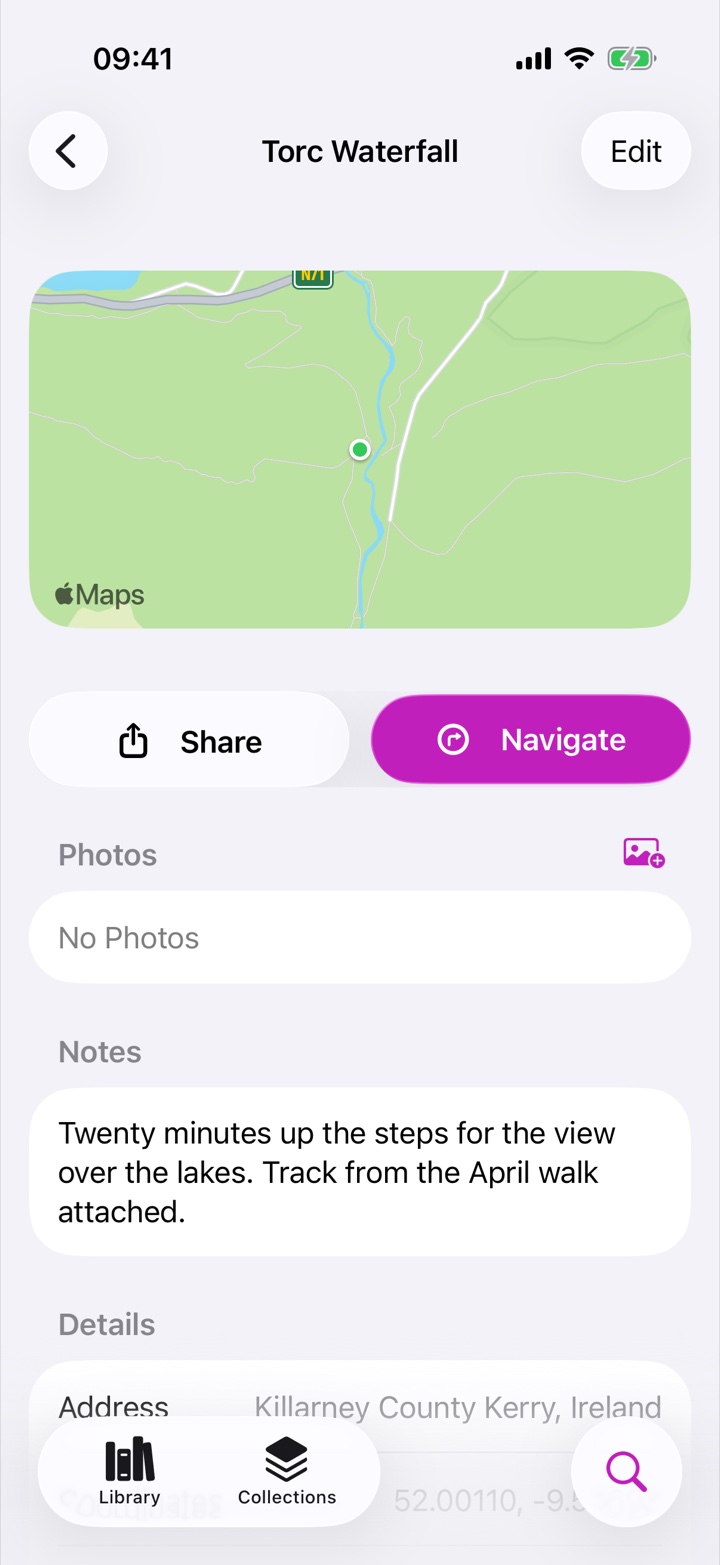
Hikes, walking routes, cycling loops — import them as GPX and they become first-class citizens alongside your places.
- Same powers as places — name, notes, photos, star, color, collections, search.
- Length and start point at a glance — the details that matter when you're planning.
- Navigate to the trailhead — directions to a track's start or end point in one tap.
Finding leads to going.
Rego is a library of destinations, not another turn-by-turn app — so it hands off to the navigation app you already trust.
- One-tap directions in Apple Maps or your preferred navigation app — Rego remembers your choice.
- Miles or kilometers, your preference.
- Copy or share a location whenever you need the raw coordinates or address.
On every device, automatically.
Your whole library — places, notes, photos, tracks, folders and collections — syncs privately through iCloud. No account to create, no switch to find.
- iPhone and iPad — with a real iPad experience: a Photos-style sidebar for folders, collections and pin colors.
- Private by design — sync runs through your personal iCloud. Rego has no servers holding your library.
- Rego for Mac — in development, sharing the same synced library.
Easy in. Easy out. Always.
A library you'll keep for years has to be portable — so import and export aren't afterthoughts in Rego, they're part of the promise.
- Import KML, KMZ and GPX — Google My Maps exports, Google Takeout archives, Google Earth files, GPS apps and devices.
- Export any collection as a lossless native archive (every photo and track file included), or as KMZ, KML and GPX for other tools.
- Back up to a plain folder you control — same lossless format, so a restore reproduces your library exactly.
- Upgrading from Rego 2? Your library migrates automatically, and old Dropbox backups restore right from the Files app.

Ready to remember every place that matters?
Download Rego free and start your library today.